CI: GitHub Actions — Image Build and Push
A GitHub Actions workflow that builds and pushes container images to a self-hosted Harbor registry on ARC runners
Summary
This post covers the image build and push part of the CI (Continuous Integration) phase — taking source code from a merged PR, building a container image, and pushing it to a registry that downstream CD can pull from.
The CI phase in CI/CD covers tests, image build, and image push to a designated location (typically a container registry, or CR). Tests usually run on pull or merge requests; the image build and push run after a successful merge.
CI Overview
Testing is a separate process and will be covered in its own post.
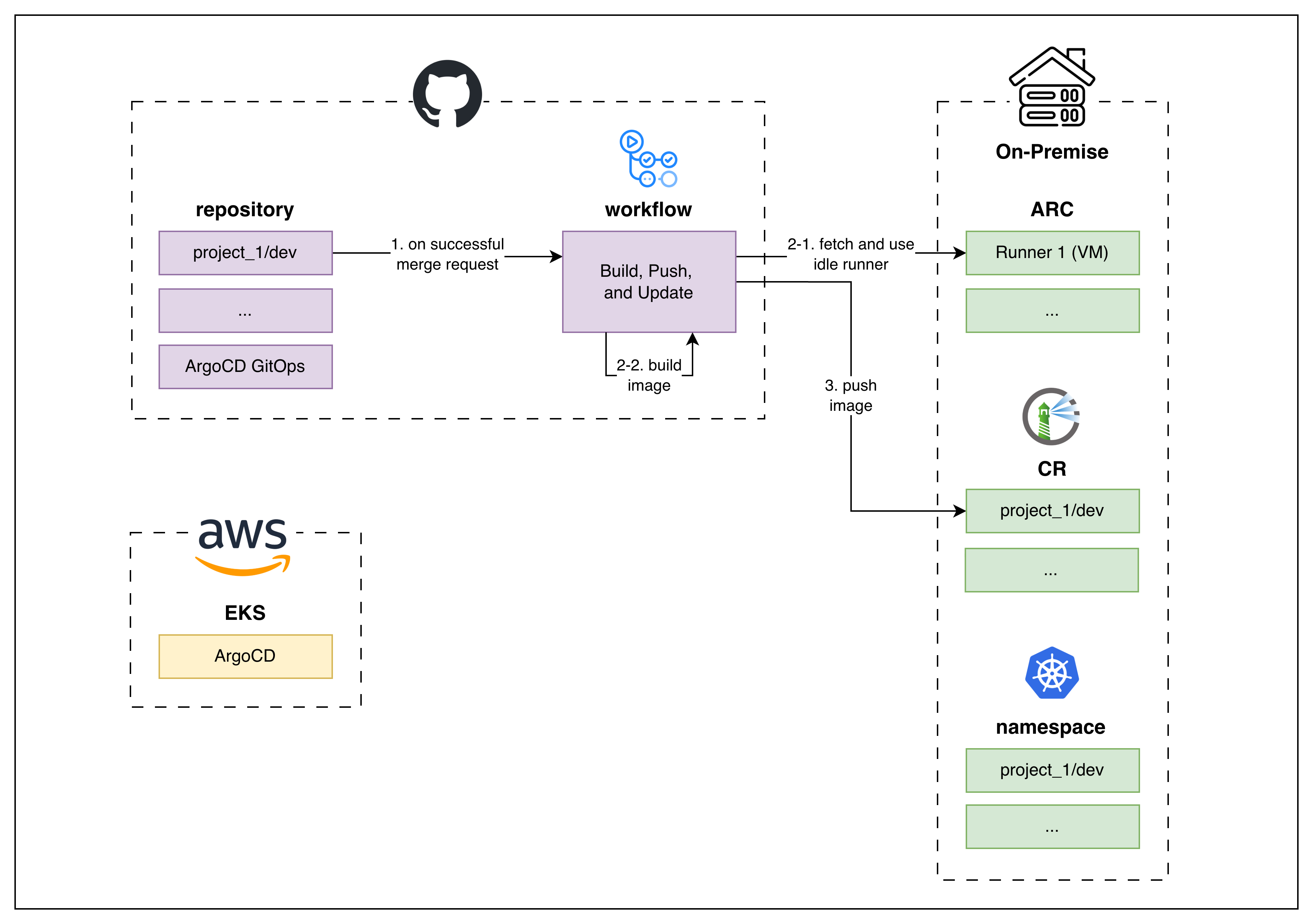 CI architecture for
 development projects, mostly on-premise resources
The stack:
- Source Code Management → GitHub
- Workflow Orchestrator (the brain) → GitHub Actions
- Compute Layer (the muscle) → ARC (Actions Runner Controller)
- Container Registry → Harbor (self-hosted)
The workflow files live in the project repository at <root>/.github/workflows/.
Under the Hood
1
2
3
4
5
6
7
8
9
10
11
12
13
14
15
16
17
18
19
20
21
22
23
24
25
26
27
28
29
30
31
32
33
34
35
36
37
38
39
40
41
42
43
44
45
46
47
48
49
50
51
52
53
54
55
56
57
58
59
60
61
62
name: Docker Image Build and Push & ArgoCD Helm Update

on:
  push:
    branches: [dev]

permissions:
  id-token: write
  contents: read

concurrency:
  group: build-push-deploy-$
  cancel-in-progress: true

jobs:
  # ─── Stage 1: Docker Image Build and Push to designated Registry ───
  build-and-push:
    name: Build and Push
    runs-on: [self-hosted, arc-$]
    environment: $

    outputs:
      image_tag: $

    steps:
      - name: Checkout Source Code
        uses: actions/checkout@v4

      - name: Set Variables
        id: vars
        run: |
          IMAGE_TAG=$(git rev-parse --short HEAD)
          echo "REGISTRY_DIR=idcx-$/was" >> $GITHUB_ENV
          echo "IMAGE_TAG=$IMAGE_TAG" >> $GITHUB_ENV
          echo "image_tag=$IMAGE_TAG" >> $GITHUB_OUTPUT

      # ─── Harbor Login (dev) ───
      - name: Login to Harbor
        if: github.ref_name == 'dev'
        uses: docker/login-action@v3
        with:
          registry: $
          username: $
          password: $

      # ─── Build and Push ───
      - name: Docker Image Build and Push
        run: |
          REGISTRY="$"

          docker buildx build \
            --platform linux/amd64 \
            --cache-from=type=registry,ref=$REGISTRY/$:latest \
            --cache-to=type=inline \
            -f Dockerfile \
            -t $REGISTRY/$:$ \
            -t $REGISTRY/$:latest \
            --push .

          echo "Pushed to $REGISTRY/$:$"

  # ─── Stage 2: ArgoCD Helm Update — omitted (covered in a separate post) ───
Values fetched via
vars.*andsecrets.*live in the GitHub Actions secrets and variables tab: project repository → Settings → Secrets and variables → Actions.varsare plain-text,secretsare encrypted at rest and masked in logs.
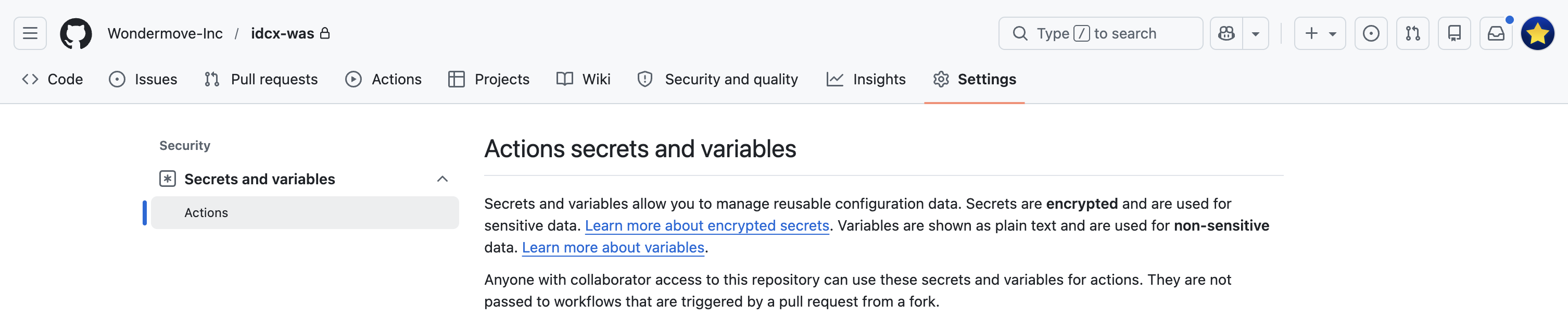 Where
Where vars.* and secrets.* are configured
A few framing keys on the yaml above:
concurrencyensures only one build runs per branch — a newer push cancels the in-flight one.environment: $binds the job to a GitHub environment of the same name (dev,stage,prod), where environment-scopedvars/secretslive and where approval gates would attach.outputs.image_tagis consumed by a downstreamUpdatejob — the ArgoCD Helm bump, covered in a separate post.
End-to-end the CI process is:
- Fetch the muscle — GitHub Actions claims an idle ARC runner.
- Log in to the container registry — authenticate the runner against Harbor with a robot account.
- Build the image with Docker —
docker buildx buildagainst the project Dockerfile, tagged with both the short commit SHA andlatest. - Push to the container registry — the
--pushflag uploads both tags to Harbor in the same build step.
In Action
Here’s the workflow running end-to-end. The demo covers the full CI/CD pipeline — GitHub Actions, ArgoCD, ARC, Harbor all wired up — though the CD half is covered in a separate post.
Live demo: the full CI/CD pipeline
Here’s a sample run, triggered by merging a PR to dev:
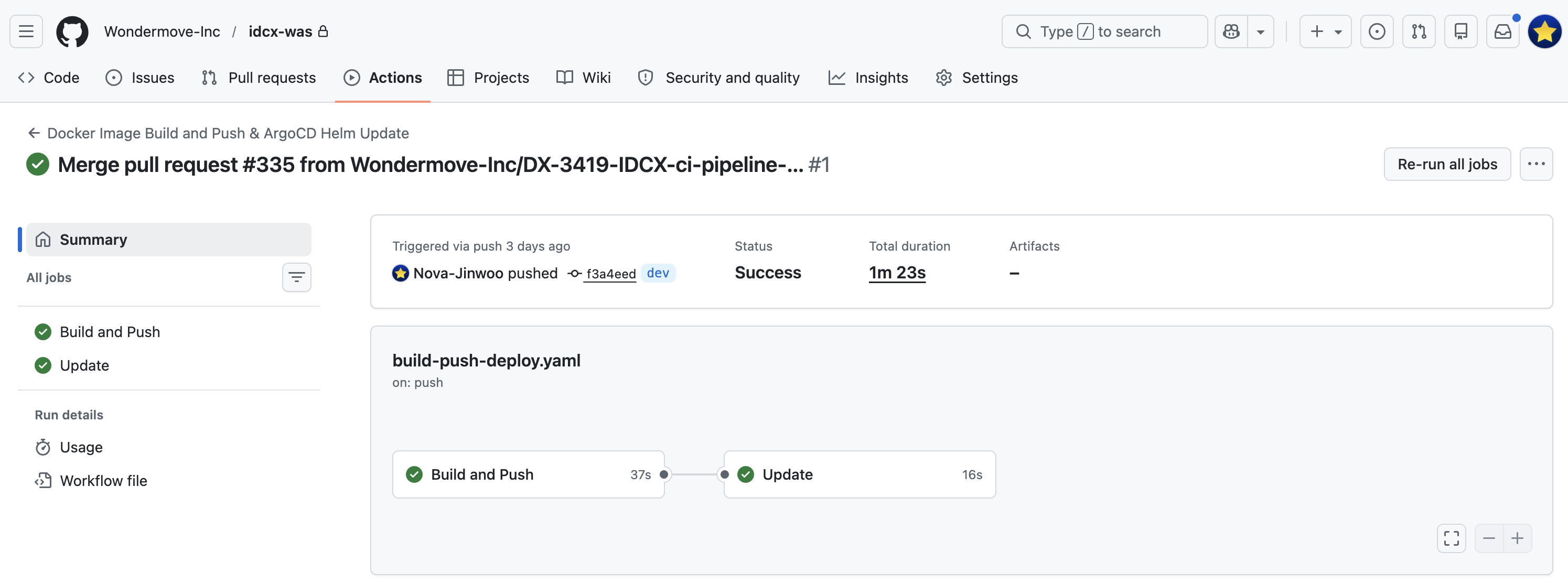 Workflow run summary: Build and Push (37s) + Update (16s)
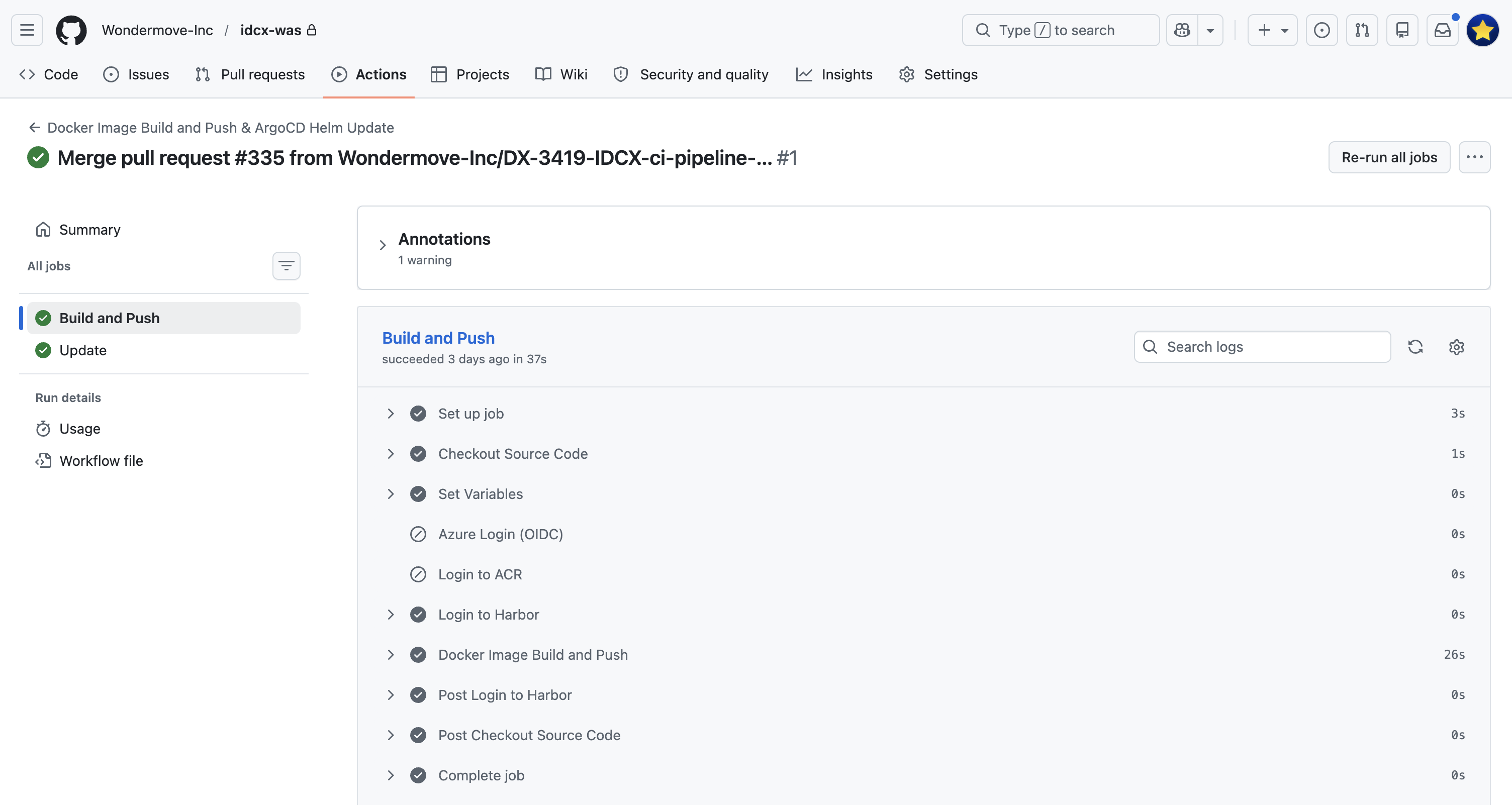 The full step list of the Build and Push job
The screenshots below walk through the four steps end-to-end, in the order they execute in the workflow:
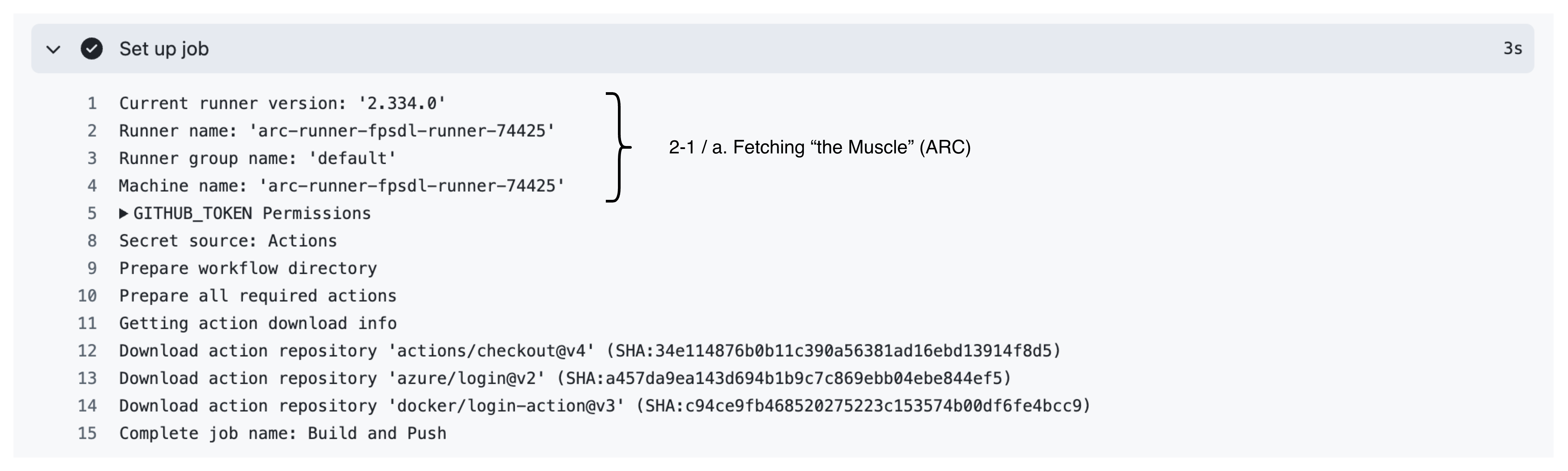 Step 1 — ARC runner picks up the job (“the muscle”)
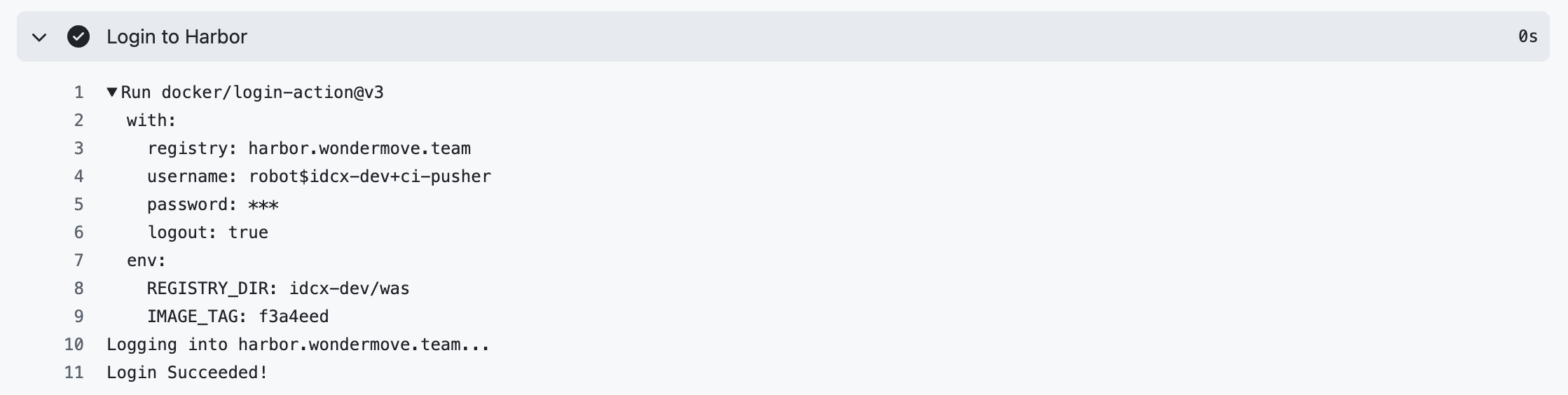 Step 2 — Logging in to Harbor
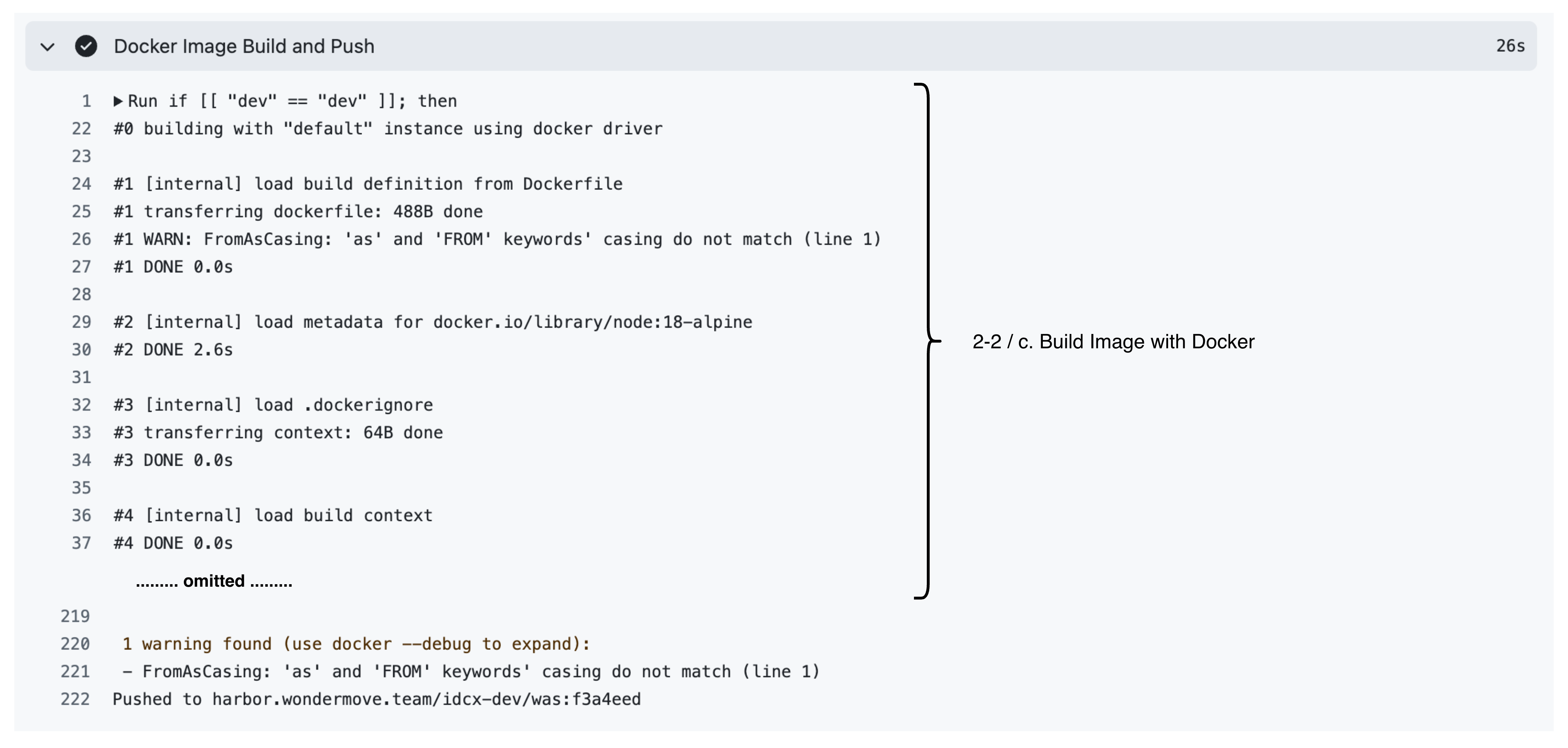 Step 3 — Building the image with Docker
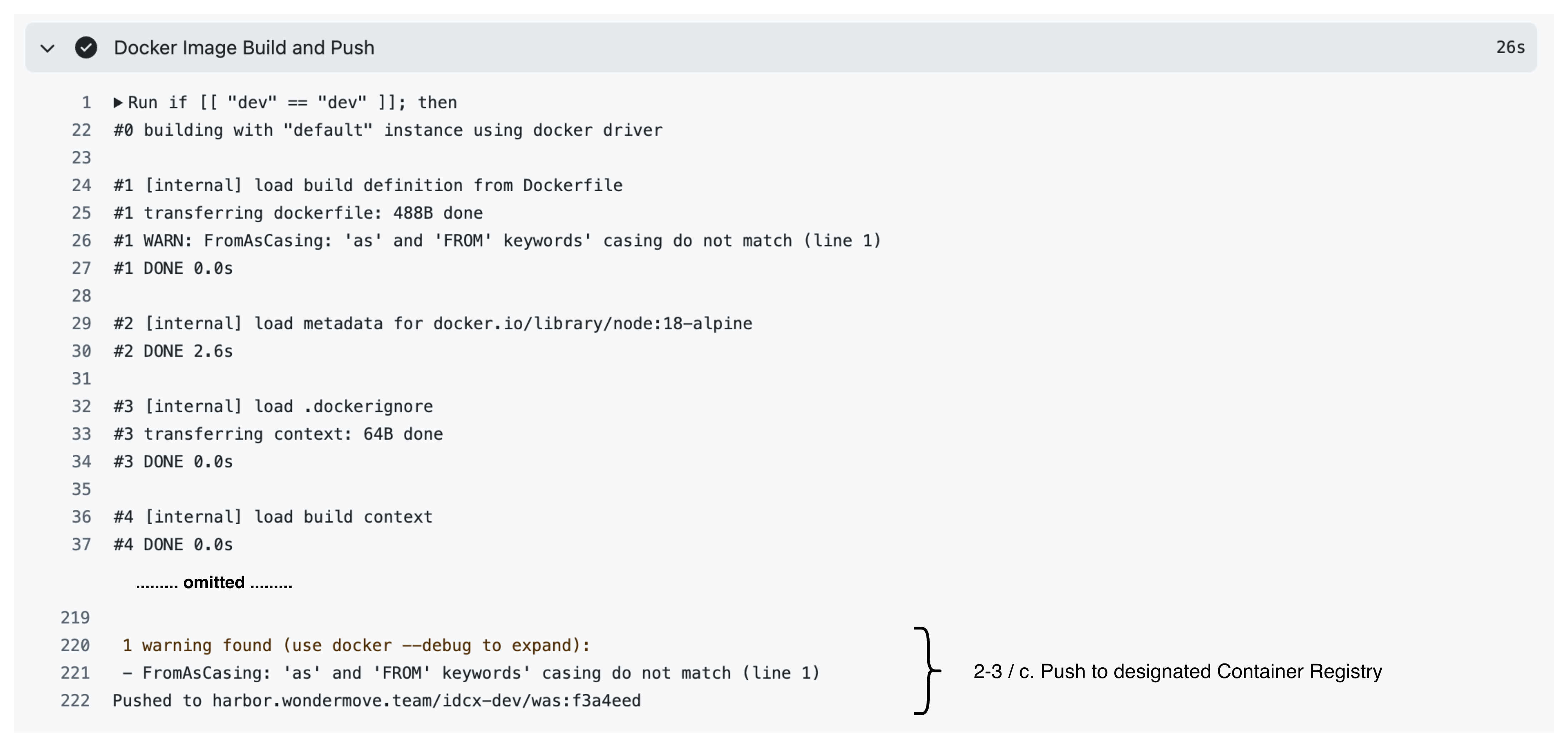 Step 4 — Pushing to the container registry
The image is now in Harbor, tagged with both the commit SHA and latest. The CD half of the pipeline (ArgoCD picking up the new tag via a Helm values update) is covered in a separate post.