CD: ArgoCD — Update and Deploy
A GitHub Actions job that updates Helm values in a GitOps repo, then hands off to ArgoCD
Summary
This post covers the deployment stage of the pipeline — the CD (Continuous Deployment) phase that picks up where the CI build leaves off. The CI job pushed a freshly built image to Harbor; this CD job rewrites the image tag in a GitOps repo and lets ArgoCD reconcile the cluster.
Helm is Kubernetes’ package manager — it bundles K8s manifests into reusable, parameterized charts, with values files (e.g.
values-dev.yaml) that parameterize each environment’s deployment. Keeping those values files in Git is the Infrastructure-as-Code half of this pipeline: a singleimageTagchange invalues-dev.yamlis what triggers a deployment — no manualkubectlneeded.
GitOps = the cluster’s desired state lives declaratively in Git; an agent (ArgoCD here) reconciles the running cluster to match. Updates happen via commits, not
kubectl.
CD Overview
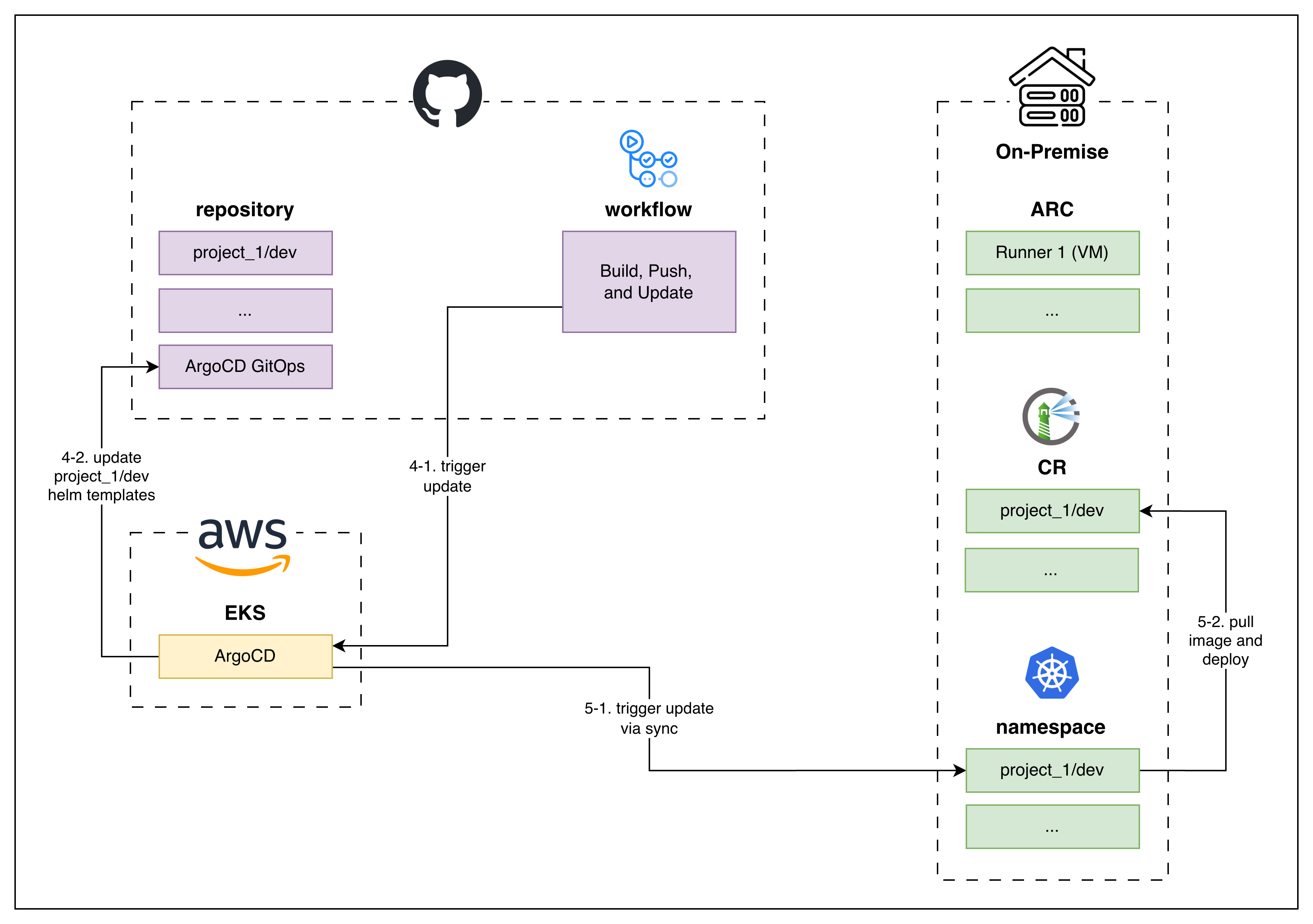 CD architecture: GHA updates the GitOps repo → ArgoCD syncs → workload cluster pulls the new image
The stack:
- Source Code Management → GitHub
- Workflow Orchestrator (the brain) → GitHub Actions
- Container Registry → Harbor (self-hosted)
- GitOps Engine → ArgoCD (running on EKS)
- Workload Cluster → On-premise Kubernetes
The arrows on the diagram show the CD handoff: GitHub Actions edits dx-infra-config (the GitOps repo) → ArgoCD detects the change → ArgoCD applies the updated manifests; Kubernetes pulls the new image from Harbor and rolls out the new pods.
Under the Hood
1
2
3
4
5
6
7
8
9
10
11
12
13
14
15
16
17
18
19
20
21
22
23
24
25
26
27
28
29
30
31
32
33
34
35
36
37
38
39
40
41
42
43
44
45
46
47
48
49
50
51
52
53
54
55
56
57
58
59
60
61
62
63
64
65
66
67
68
69
70
71
72
73
74
75
76
77
78
79
80
81
82
83
84
85
86
87
88
89
90
91
92
name: Docker Image Build and Push & ArgoCD Helm Update

on:
  push:
    branches: [dev]

permissions:
  id-token: write
  contents: read

concurrency:
  group: build-push-deploy-$
  cancel-in-progress: true

jobs:
  # ─── Stage 1: Docker Image Build and Push to designated Registry ───
  build-and-push:
    name: Build and Push
    runs-on: [self-hosted, arc-$]
    environment: $

    outputs:
      image_tag: $

    # ... omitted, see the CI post for details ...

  # ─── Stage 2: ArgoCD GitOps (dx-infra-config) Helm values update ───
  update:
    name: Update
    needs: build-and-push
    runs-on: [self-hosted, arc-$]
    environment: $

    env:
      TARGET_BRANCH: idcx-$
      IMAGE_TAG: $

    steps:
      - name: Generate GitHub App token
        id: app-token
        uses: actions/create-github-app-token@v1
        with:
          app-id: $
          private-key: $
          owner: Wondermove-Inc
          repositories: dx-infra-config

      - name: Checkout dx-infra-config Repository
        uses: actions/checkout@v4
        with:
          repository: Wondermove-Inc/dx-infra-config
          ref: $
          token: $

      - name: Pull Latest to Avoid Conflicts
        run: |
          git pull origin $ --rebase \
            || (echo "Rebase conflict; aborting" && git rebase --abort && exit 1)

      - name: Install yq (YAML processor)
        run: |
          curl -fsSL https://github.com/mikefarah/yq/releases/latest/download/yq_linux_amd64 -o "$RUNNER_TEMP/yq"
          chmod +x "$RUNNER_TEMP/yq"
          echo "$RUNNER_TEMP" >> "$GITHUB_PATH"

      - name: Determine helm values file
        id: values
        run: |
          HELM_VALUES="helm/idcx-was/values-$.yaml"
          echo "helm_values=$HELM_VALUES" >> $GITHUB_OUTPUT
          echo "Helm values file: $HELM_VALUES"

      - name: Update Rollout imageTag
        env:
          HELM_VALUES: $
        run: |
          echo "Updating app.imageTag to ${IMAGE_TAG}..."
          yq eval ".app.imageTag = \"${IMAGE_TAG}\"" -i $HELM_VALUES
          echo "Updated $HELM_VALUES"

      - name: Commit & Push
        run: |
          git config user.email "ci-bot@github.com"
          git config user.name  "GitHub Actions"
          git commit -am "[idcx-was] Deploy ${IMAGE_TAG}" \
            || echo "No changes to commit"
          git push origin $

          echo ""
          echo "Pushed update to dx-infra-config"
          echo "ArgoCD will detect the change and sync the cluster"
          echo ""
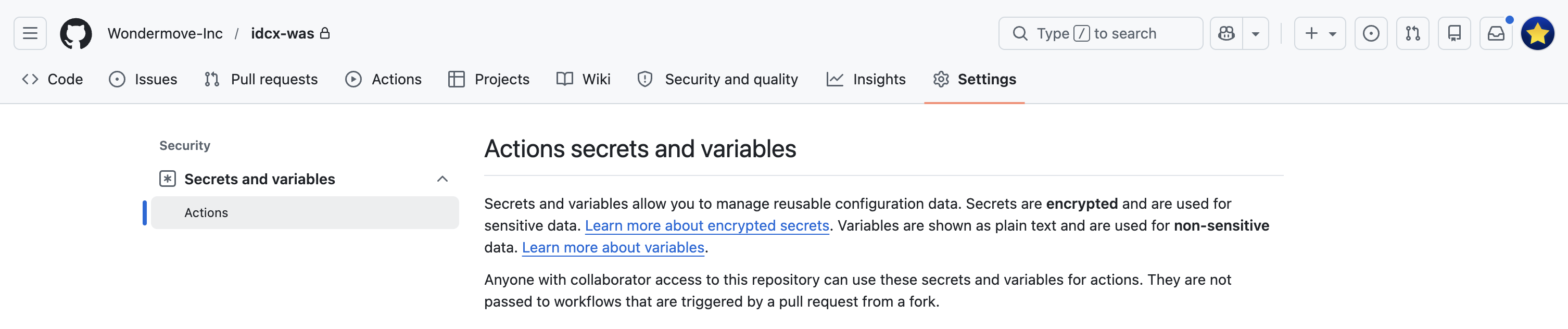
Values fetched via
vars.*andsecrets.*live in the GitHub Actions secrets and variables tab: project repository → Settings → Secrets and variables → Actions.varsare plain-text,secretsare encrypted at rest and masked in logs.
 Where
Where vars.* and secrets.* are configured
A few framing keys on the yaml above:
needs: build-and-push— thisupdatejob only runs if the CIbuild-and-pushjob succeeded, so a broken build never triggers a deployment.IMAGE_TAG: $— carries the short commit SHA from the CI job forward, so the tag written into Helm values is exactly the image that was just pushed to Harbor.TARGET_BRANCH: idcx-$— commits to a per-environment branch ondx-infra-config(the GitOps repo), so each environment’s deployment state is isolated.- GitHub App token (not PAT) — the
Generate GitHub App tokenstep issues a short-lived token scoped to a single repo (dx-infra-config). This is the right pattern when one repo’s workflow needs to write to another repo: less blast radius than a personal access token, and not tied to any single user account whose departure would invalidate it.
End-to-end the CD process is:
- Retrieve a GitHub Repository Access Token —
actions/create-github-app-tokenmints a short-lived token scoped todx-infra-config. - Update Helm values — checkout
dx-infra-config, installyq, rewriteapp.imageTagin the per-environment values file. - Commit & push to the GitOps repo — the bot pushes the values change to the target branch on
dx-infra-config. - ArgoCD syncs the workload cluster — outside of GitHub Actions: ArgoCD detects the new values and reconciles the cluster.
In Action
Here’s the workflow running end-to-end. The demo covers the full CI/CD pipeline — GitHub Actions, ArgoCD, ARC, Harbor all wired up — though the CI half is covered in a separate post.
Live demo: the full CI/CD pipeline
Here’s a sample run, triggered by merging a PR to dev:
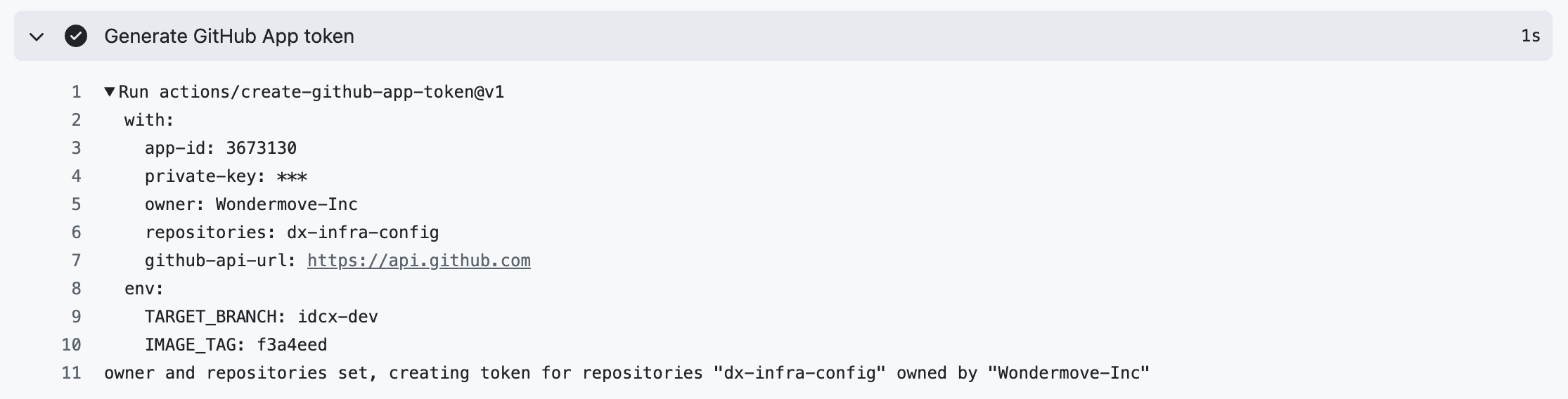 All steps in the Update job
The screenshots below walk through the GitHub Actions side of the four steps, in the order they execute:
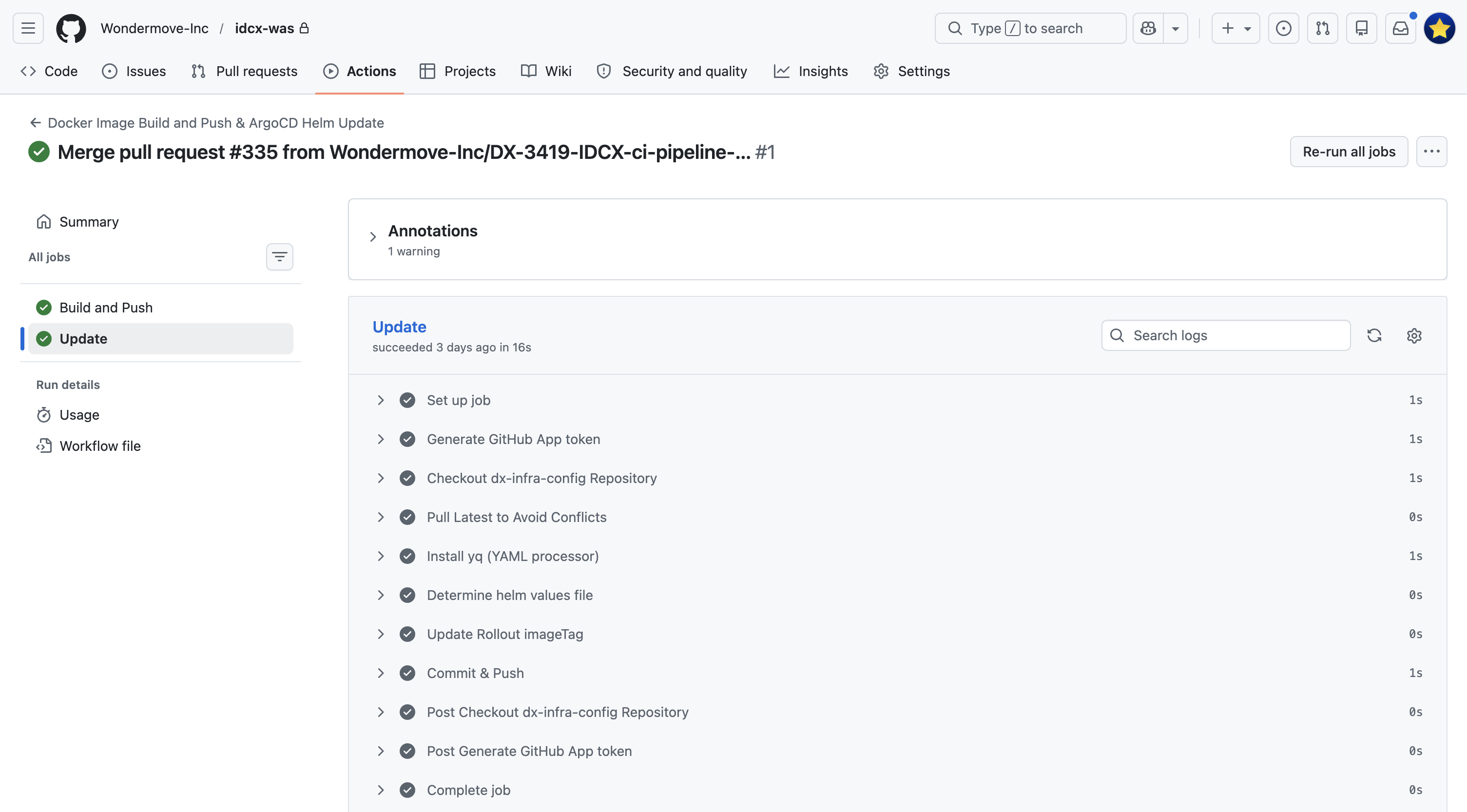 Step 1 — Generate a short-lived token scoped to
 dx-infra-config
 Step 2 —
 yq rewrites app.imageTag in the per-environment values file
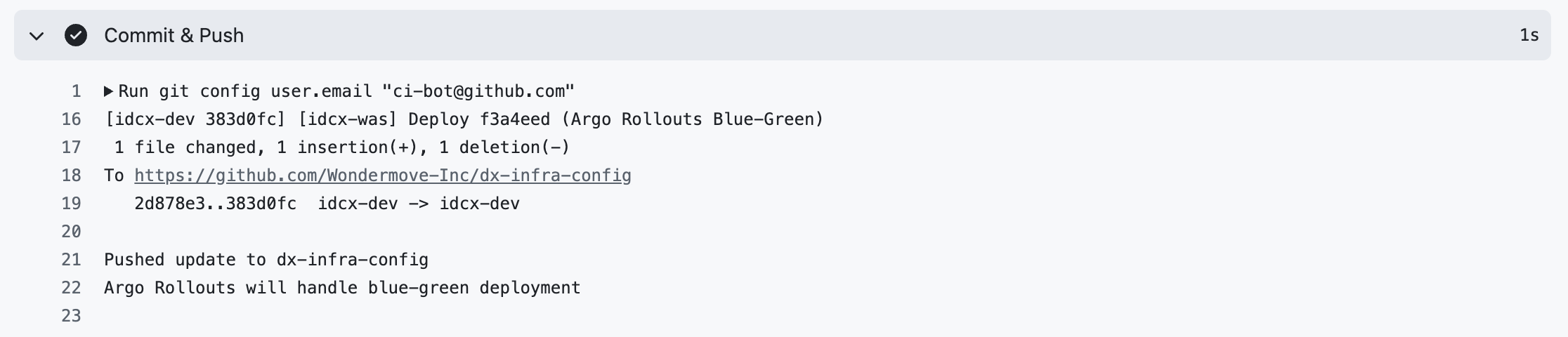 Step 3 — The bot commits the values change and pushes to the target branch
Step 4 — ArgoCD takes over. Once the commit lands in dx-infra-config, GitHub Actions is done. ArgoCD is configured to watch that repo; it detects the new imageTag, marks the Application out-of-sync, and reconciles the cluster against the updated values.
Closing the Loop
That closes the loop: a merge to dev triggers CI → CI builds and pushes an image to Harbor → CD edits Helm values in dx-infra-config → ArgoCD reconciles the cluster. From a developer’s perspective, the only action was the merge.